
iPhone 17 Pro Max + Blackmagic Camera + ZEERA SnapLens Magnetic Filter: Das einfachste Pro Mobile Filmemacher-Setup
 Für viele mobile Filmemacher und professionelle Kreative ist das iPhone nicht mehr nur eine Telefonkamera.
Mit dem iPhone 17 Pro Max und der Blackmagic Camera App können Kreative nun Bildrate, Verschlusszeit, ISO, Weißabgleich, Fokus, Belichtung und Aufnahmeprozess auf eine Weise steuern, die sich viel mehr anfühlt, als würde man eine echte digitale Filmkamera verwenden.
Deshalb nutzen immer mehr Kreative das iPhone, um Reisefilme, Produktvideos, soziale Inhalte, Kurzdokumentationen und filmische Alltagsszenen aufzunehmen.
Doch ein Problem kann die Software immer noch nicht vollständig lösen:
echtes Licht.
Helles Sonnenlicht, Fensterreflexionen, harte Glanzlichter, Nachtblendung und zu scharfer digitaler Kontrast erfordern immer noch eine physische Kontrolle. Hier kommt das ZEERA SnapLens Magnetsystem ins Spiel.
Die Blackmagic Camera App bietet Ihrem iPhone professionelle Kamerasteuerung. ZEERA SnapLens bietet eine schnellere, leichtere und praktischere Lichtsteuerung.
Zusammen machen sie professionelles iPhone-Fotografieren und Filmen viel einfacher.

Kurze Antwort: Warum SnapLens so gut mit der Blackmagic Camera App funktioniert
ZEERA SnapLens ist eine leistungsstarke Ergänzung für die Blackmagic Camera App, da die App die Kameraeinstellungen steuert, während SnapLens das Licht kontrolliert, bevor es die Linse erreicht.
Die Blackmagic Camera App hilft Kreativen, professionelle Einstellungen wie Bildrate, Verschlusswinkel, ISO, Weißabgleich und Fokus anzupassen. Doch unter realen Aufnahmebedingungen benötigen Sie immer noch physische Filter, um Reflexionen, Highlights, Belichtung und filmische Weichheit zu steuern.
Deshalb ist die Kombination sinnvoll:
- Die Blackmagic Camera App bietet Ihnen manuelle Steuerung.
- ZEERA SnapLens bietet Ihnen optische Steuerung.
- Das iPhone 17 Pro Max bietet Ihnen eine leistungsstarke mobile Kameraplattform.
Für Kreative, die ein leichteres mobiles Filming-Setup wünschen, könnte dies eine der praktischsten Kombinationen sein, die erhältlich ist.

Die Blackmagic Camera App verwandelt das iPhone in ein echtes Filmwerkzeug
Der Grund, warum Kreative die Blackmagic Camera App lieben, ist einfach: Sie lässt das iPhone weniger wie eine automatische Telefonkamera und mehr wie ein professionelles Kamerasystem wirken.
Anstatt die Standard-Kamera-App alles entscheiden zu lassen, können Kreative wichtige Aufnahmeeinstellungen manuell anpassen. Dies ist wichtig, wenn Sie eine konsistente Belichtung, kontrollierte Bewegungsunschärfe, vorhersehbare Farben und einen filmischeren Look wünschen.
Wenn Sie beispielsweise ein kurzes Produktvideo, eine Straßenszene, einen Reiseclip oder eine Sonnenuntergangssequenz aufnehmen, möchten Sie möglicherweise Ihren Weißabgleich sperren, den Verschlusswinkel steuern, die ISO niedrig halten oder denselben visuellen Stil über verschiedene Aufnahmen hinweg beibehalten.
Genau hier wird die Blackmagic Camera App nützlich.
Aber sobald Sie ernster zu filmen beginnen, fällt Ihnen schnell etwas auf:
Softwarekontrolle reicht nicht aus, wenn das Licht selbst schwierig ist.
Das fehlende Element ist die physische Lichtsteuerung
Selbst mit der besten Kamera-App muss Ihr iPhone immer noch mit realen Beleuchtungsproblemen umgehen.
Reflexionen auf Glas können nicht vollständig durch Ändern der ISO behoben werden. Helles Sonnenlicht kann nicht immer durch Reduzieren der Belichtung gelöst werden. Helle Himmel, glänzende Autofenster, Wasseroberflächen und Nachtlichter benötigen oft eine optische Kontrolle, bevor das Bild aufgenommen wird.
Deshalb verlassen sich professionelle Kameranutzer immer noch auf Filter.
Für iPhone-Kreative besteht die Herausforderung nicht darin, ob Filter nützlich sind. Die eigentliche Herausforderung besteht darin, ob sie leicht genug zu transportieren und schnell genug zu verwenden sind.
Ein klobiges Filterkit mag bei einer geplanten Aufnahme gut funktionieren, fühlt sich aber für mobile Kreationen oft zu langsam an. Wenn der Aufbau zu lange dauert, ist der Moment bereits vorbei.
ZEERA SnapLens löst dieses Problem, indem es Filter so gestaltet, dass sie sich näher an der tatsächlichen Nutzung eines iPhones anfühlen: schnell, kompakt, magnetisch und bereit, wenn die Aufnahme erscheint.

Warum ZEERA SnapLens den Blackmagic Camera Workflow vervollständigt
Die Blackmagic Camera App bietet Ihnen die Tools zur internen Bildkontrolle. ZEERA SnapLens hilft Ihnen, das Bild extern zu gestalten.
Dieser Unterschied ist wichtig.
Wenn Sie mit der Blackmagic Camera App aufnehmen, können Sie Ihren Verschlusswinkel, die Bildrate, ISO, den Fokus und den Weißabgleich sorgfältig einstellen. Doch wenn die Szene starke Reflexionen oder grelles Sonnenlicht aufweist, kann das Endbild immer noch unkontrolliert wirken.
SnapLens fügt die fehlende physische Ebene hinzu.
- Der CPL-Filter hilft, Reflexionen von Glas, Autos, Wasser und glänzenden Oberflächen zu reduzieren.
- Der ND-Filter hilft, helle Außenbelichtungen für flüssigere Videobewegungen zu kontrollieren.
- Der Black Mist-Filter hilft, Glanzlichter zu mildern und eine filmischere Atmosphäre zu schaffen.
- Der UV-Filter bietet eine tägliche Schutzschicht und sorgt für sauberere Aufnahmen.
Anstatt ein großes Kamera-Rig mit sich zu führen, können Sie das iPhone leicht und einfach halten und trotzdem mehr Kontrolle über das Bild gewinnen.
Magnetisches Kamerafiltersystem für iPhone
ZEERA SnapLens Magnetsystem
- Aufstecken
- Schneller Aufbau
- 4 Filter
- Pro-Video
- Bereit für iPhone
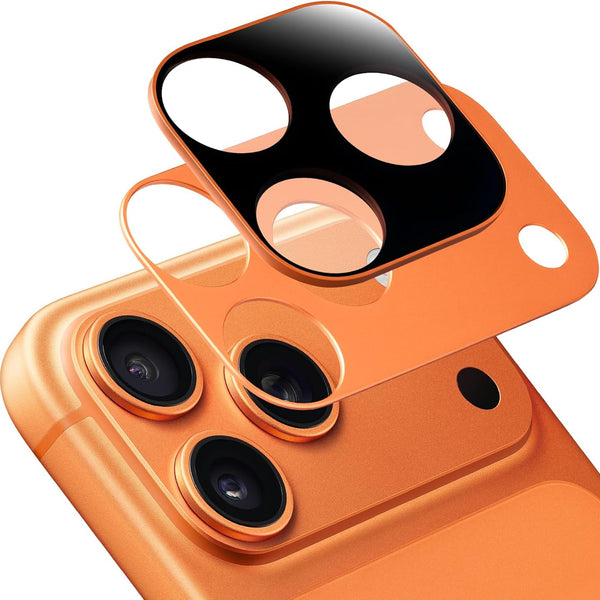
Für iPhone 17 Pro Max Kreative zählt Geschwindigkeit
Das iPhone 17 Pro Max wird oft verwendet, weil es immer dabei ist. Das ist der größte Vorteil des mobilen Filmemachens.
Sie müssen nicht jede Aufnahme planen. Sie können sofort eine Stadtstraße, eine Kaffeeszene, eine Sonnenuntergangsfahrt, einen Blick hinter die Kulissen oder einen Produktclip festhalten.
Doch dieser Vorteil verschwindet, wenn Ihr Zubehör Sie ausbremst.
Deshalb ist SnapLens für viele Kreative sinnvoller als ein schweres Telefon-Rig. Es versucht nicht, das iPhone in ein kompliziertes Kino-Setup zu verwandeln. Es wurde entwickelt, um das iPhone schnell zu halten und gleichzeitig die Filter hinzuzufügen, die Kreative tatsächlich benötigen.
Mit geöffneter Blackmagic Camera App und bereitgestelltem SnapLens können Sie schneller arbeiten:
- Sperren Sie Ihre Belichtung und den Weißabgleich in der App.
- Stecken Sie den richtigen Filter für die Szene auf.
- Nehmen Sie mit besserer Lichtkontrolle auf.
- Entfernen Sie den Filter, wenn Sie ihn nicht benötigen.
Das ist die Art von Workflow, die mobile Kreative brauchen: professionell genug für ernsthafte Arbeit, einfach genug für das echte Leben.
Wie jeder SnapLens Filter beim Filmen mit der Blackmagic Camera App hilft
CPL-Filter: Sauberere Reflexionen und sattere Außenszenen
Beim Filmen durch Autoscheiben, Schaufensterglas, Wasser oder glänzende Oberflächen können Reflexionen eine ansonsten schöne Aufnahme ruinieren.
Ein CPL-Filter hilft, störende Reflexionen zu reduzieren und verleiht Außenszenen ein saubereres, beabsichtigteres Aussehen. Dies ist nützlich für Reisevideos, Stadtansichten, Auto-Content, Landschaftsaufnahmen und Produktaufnahmen in der Nähe von reflektierenden Oberflächen.
Die Blackmagic Camera App ermöglicht Ihnen die Steuerung der Kamera. Der CPL-Filter hilft, das zu steuern, was die Kamera tatsächlich sieht.
ND-Filter: Bessere Bewegung in hellen Außenaufnahmen
Für filmische Videos wünschen sich Kreative oft flüssigere Bewegungen anstelle des übermäßig scharfen Looks, der bei hellem Tageslicht entstehen kann.
Ein ND-Filter hilft, die Lichtmenge zu reduzieren, die in das Objektiv gelangt, was es einfacher macht, die Videobelichtung bei hellen Bedingungen unter Kontrolle zu halten.
Dies ist besonders nützlich bei Außenaufnahmen mit der Blackmagic Camera App, da die manuelle Kamerasteuerung bedeutsamer wird, wenn das Licht zunächst physisch ausgeglichen ist.
Black Mist Filter: Weichere Glanzlichter und ein filmischerer Look
Moderne Telefonkameras können manchmal zu scharf wirken, besonders nachts oder bei starkem Licht.
Ein Black Mist Filter hilft, Glanzlichter zu mildern, harte digitale Kontraste zu reduzieren und ein atmosphärischeres Bild zu erzeugen. Für Kreative, die Nachtstraßen, Neonlichter, Cafés, Produktszenen oder Lifestyle-Videos filmen, kann dies dazu führen, dass das Filmmaterial ohne aufwendige Bearbeitung filmischer wirkt.
UV-Filter: Alltagsschutz und saubereres Filmen
Der UV-Filter ist der einfachste, aber er ist immer noch wichtig für das tägliche Filmen.
Er bietet Kreativen eine praktische Filteroption für den täglichen Gebrauch und hilft, das Aufnahmeerlebnis sauberer und konsistenter zu gestalten.

Warum dieses Setup besser ist als ein komplettes Kamera-Rig
Ein komplettes Kamera-Rig kann hervorragende Ergebnisse liefern, ist aber nicht immer praktisch.
Viele Kreative möchten für alltägliche Aufnahmen keine Kamera, Objektive, Gehäuse, Matte Box, externen Monitor und ein großes Filter-Kit mit sich führen. Das iPhone ist leistungsstark, weil es diese Reibung beseitigt.
Das beste Setup für mobiles Filmemachen sollte den Grund, warum Menschen das iPhone überhaupt verwenden, nicht zerstören.
Deshalb ist die Kombination aus iPhone 17 Pro Max, Blackmagic Camera App und ZEERA SnapLens so stark:
| Werkzeug | Was es tut | Warum es wichtig ist |
|---|---|---|
| iPhone 17 Pro Max | Mobile Kameraplattform | Immer dabei und einfach zu fotografieren |
| Blackmagic Camera App | Manuelle Kamerasteuerung | Bessere Kontrolle über Belichtung, ISO, Fokus, Weißabgleich und Aufnahmeprozess |
| ZEERA SnapLens | Magnetische physische Filter | Schnellere Lichtsteuerung ohne klobige Ausrüstung |
Es geht nicht darum, professionelle Kinokameras in jeder Situation zu ersetzen. Es geht darum, ernsthaft aussehende mobile Inhalte einfacher und häufiger zu filmen.

Die beste Ausrüstung für mobiles Filmen ist die Ausrüstung, die Sie tatsächlich verwenden
Viele iPhone-Kamerazubehörteile wirken beeindruckend, sind aber nicht immer einfach zu bedienen.
Wenn ein Filtersystem zu groß, zu langsam oder zu lästig zum Tragen ist, lassen Kreative es zu Hause. Das ist das Problem bei vielen traditionellen Telefonfilter-Sets.
SnapLens verfolgt einen anderen Ansatz.
Es hält das Setup nah am iPhone-Erlebnis. Die Filter sind so konzipiert, dass sie schnell aufgesteckt, leicht entfernt und kompakt genug für reale Aufnahmesituationen bleiben.
Das ist wichtig, denn professionell aussehende Aufnahmen stammen nicht nur von teurer Ausrüstung. Sie stammen davon, bereit zu sein, wenn Licht, Motiv und Moment stimmen.

Wer sollte das iPhone 17 Pro Max mit der Blackmagic Camera App und SnapLens verwenden?
Dieses Setup ist besonders nützlich für Kreative, die eine bessere Videoqualität wünschen, ohne dass sich ihr iPhone wie ein schweres Kamera-Rig anfühlt.
Es passt gut zu:
- mobilen Filmemachern
- Reisekreatoren
- Produktvideo-Erstellern
- Streetfotografen
- Kurzvideo-Erstellern
- YouTubern und Vloggern
- Kleinunternehmern, die Produktinhalte drehen
- iPhone-Benutzern, die einen filmischeren Look wünschen
Für diese Benutzer geht es nicht darum, mehr Ausrüstung mit sich zu führen. Es geht darum, das iPhone leistungsfähiger zu machen, während der Aufnahmeprozess schnell bleibt.
Letzter Gedanke: Softwaresteuerung + physische Filter ist das echte Upgrade
Das iPhone 17 Pro Max bietet Kreativen bereits eine leistungsstarke Kamera in der Tasche.
Die Blackmagic Camera App lässt diese Kamera professioneller wirken, indem sie tiefere manuelle Steuerung und einen ernsthafteren Aufnahme-Workflow freischaltet.
Doch großartige Bilder hängen immer noch vom Licht ab.
Deshalb ist ZEERA SnapLens ein so praktischer Begleiter. Es bietet iPhone-Kreativen eine schnellere Möglichkeit, CPL-, ND-, Black Mist- und UV-Filter zu verwenden, ohne ein sperriges Kamera-Setup mit sich zu führen.
Die Blackmagic Camera App hilft Ihnen, die Kamera zu steuern. ZEERA SnapLens hilft Ihnen, das Licht zu steuern.
Zusammen machen sie das Filmemachen mit dem iPhone professioneller, portabler und viel einfacher im Alltag.
Wenn Sie möchten, dass Ihr iPhone leicht, schnell und einsatzbereit bleibt – aber trotzdem mit mehr kreativer Kontrolle filmen möchten – ist dies eines der praktischsten Setups, das Sie ausprobieren können.
FAQ
Ist die Blackmagic Camera App gut für das iPhone-Filmen?
Ja. Die Blackmagic Camera App ist nützlich für das iPhone-Filmen, da sie Kreativen mehr Kontrolle über wichtige Kameraeinstellungen wie Bildrate, Verschlusszeit, ISO, Weißabgleich, Fokus und Aufnahmeprozess bietet. Sie lässt das iPhone viel mehr wie eine professionelle digitale Filmkamera wirken.
Warum ZEERA SnapLens mit der Blackmagic Camera App verwenden?
Die Blackmagic Camera App steuert die Kameraeinstellungen, während ZEERA SnapLens das Licht steuert, bevor es das Objektiv erreicht. Dies macht die Kombination besonders nützlich für Kreative, die eine bessere Reflexionskontrolle, flüssigere Außenaufnahmen, weichere Glanzlichter und einen filmischeren Look wünschen.
Welcher SnapLens-Filter ist am besten für filmisches iPhone-Video geeignet?
Der ND-Filter und der Black Mist-Filter sind besonders nützlich für filmisches iPhone-Video. Der ND-Filter hilft, helle Außenbelichtungen zu kontrollieren, während der Black Mist-Filter Glanzlichter mildert und ein atmosphärischeres Bild erzeugt.
Ist ZEERA SnapLens nur für professionelle Fotografen?
Nein. ZEERA SnapLens ist sowohl für professionelle Kreative als auch für alltägliche iPhone-Benutzer nützlich. Es wurde für jeden entwickelt, der besser aussehende Fotos und Videos machen möchte, ohne klobige Kameraausrüstung mit sich zu führen.
Kann SnapLens die Bearbeitung ersetzen?
Kein Filter ersetzt die Bearbeitung vollständig, aber SnapLens kann das Bild vor Beginn der Bearbeitung verbessern. Durch die Kontrolle von Reflexionen, Belichtung und Glanzlichtern während der Aufnahme können Kreative saubereres Material erhalten, das später leichter zu bearbeiten ist.


